School office web
Scheduling, student and staff records, finance, learning and administration
Selected school-office views tested locally
Veisteg
Independent product development · In development
Veisteg is a driving-school operations platform for office staff, instructors and students or guardians, joining school workflows with training and financial records.
A driving school needs the office, instructors and learners to work from consistent records. Veisteg brings scheduling, vehicles and courses together with student records, training progress, messages and financial administration.
I work through the handovers: what the instructor records, what the student should see and what the office must follow up. My experience in operations and finance helps me define that workflow. I use AI-assisted development to build the screens and rules around it.
Explore separate school and student views. The lesson-to-finance transition was checked separately from these captures.
Recorded development screens · demonstration data
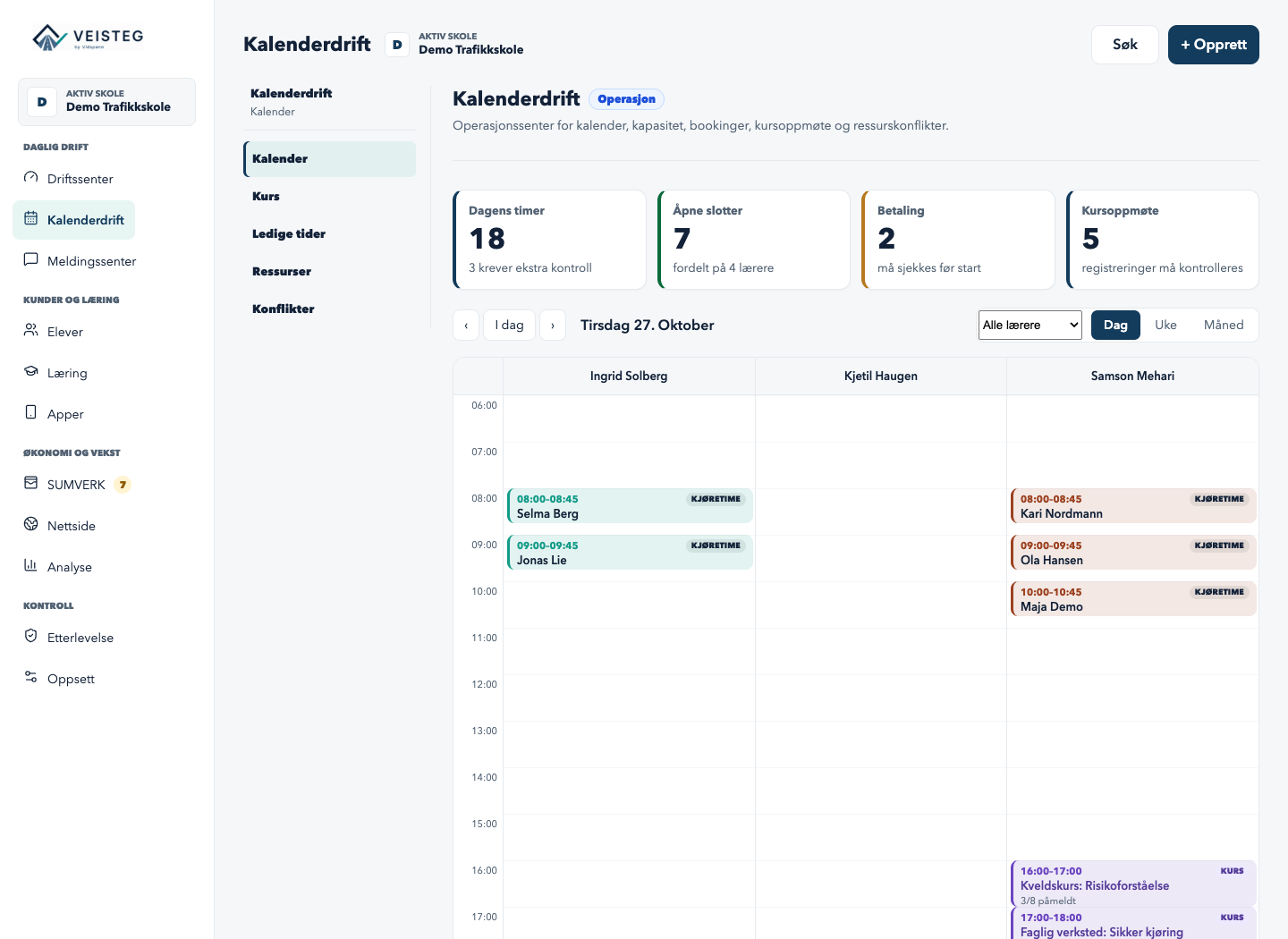
Office staff see lessons and resources together in the school calendar.
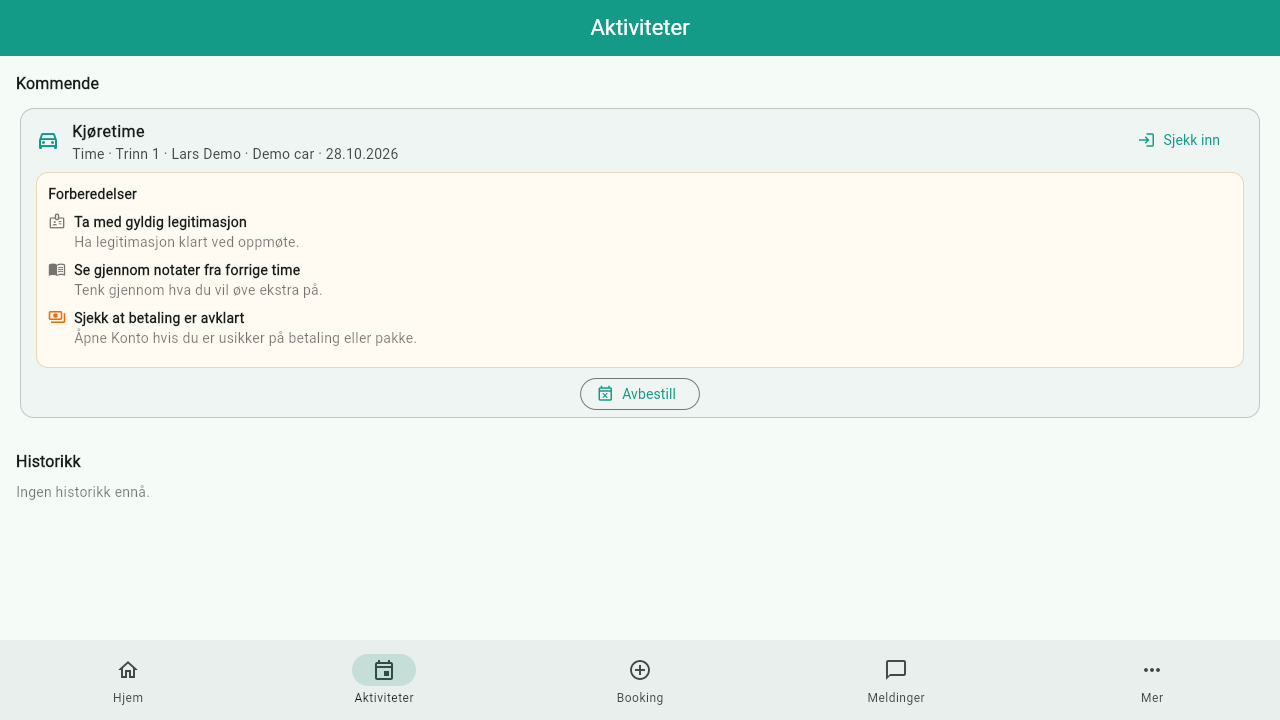
The student browser build shows activities from the local demo service, with simulated sign-in.
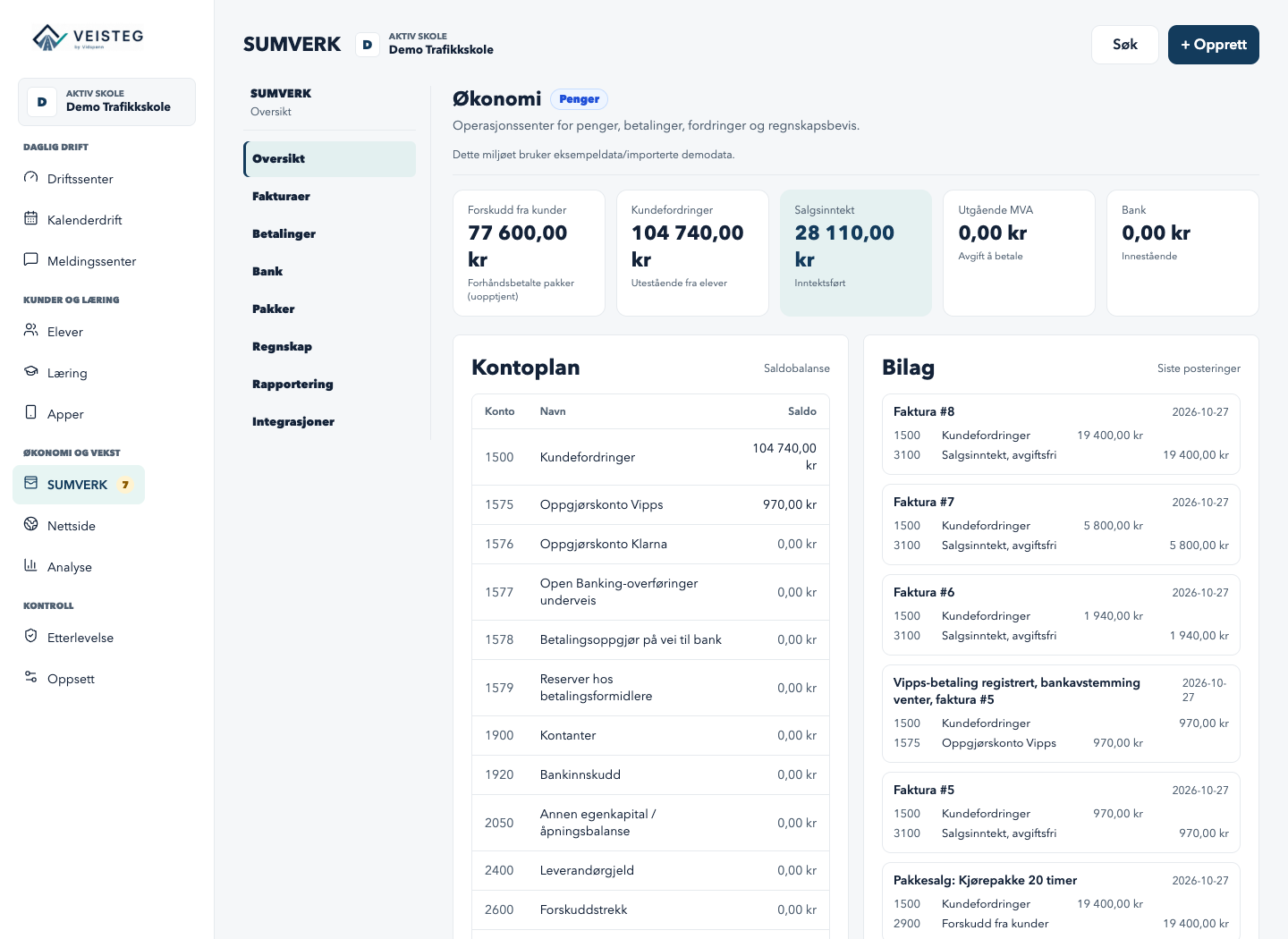
Financial administration belongs to Veisteg’s school workspace. The SUMVERK label is reused branding.
Screenshots show the development build using demonstration data.
Scheduling, student and staff records, finance, learning and administration
Selected school-office views tested locally
Flutter app project for Android and iOS
Flutter code for Android/iOS; instructor app not run
One Flutter app for Android, iOS and a web scaffold
Browser version tested locally; phone app not tested
Office, instructor, student and linked guardian experiences
Role-specific access rules in source
The wider platform also contains learning and theory, packages and invoices, ledger and reconciliation, staff and expense administration, website and enquiry handling, reporting and TABS CSV migration. Different roles receive different workspaces. The SUMVERK-labelled finance area is Veisteg’s own implementation, separate from the standalone accounting product.
| Mode | Current status |
|---|---|
| Web admin | School records are accessed through the school service; selected pages ran locally. |
| Student app in browser | Browser build connected to the local school service with sample data |
| Native apps | Android/iOS project targets exist; no device or store release verified |
| Selected reconnect handling | Some instructor actions can queue and retry; this is not a complete offline-app claim |
| Local server and cloud hosting | A shared Go/PostgreSQL service was run locally. Hosted configuration exists in source; an operating cloud service has not been verified. |
| Desktop access | The admin runs in a browser. Local launchers start services and open it; there is no separate native desktop shell in this repository. |
Follow the responsibility from scheduling to training and the applicable financial rule.
A qualifying lesson uses an existing prepaid entitlement. Completion is not automatically a new invoice or cash payment.
Source-supported conditional path; screenshots show separate views. Repeat-use protection and cancellation/dispute handling remain to be verified.
The school, learner and instructor have different responsibilities. Completing a lesson updates its training record and leads to evaluation of the applicable financial rule; it is not automatically a new cash payment.
Schedule the lesson.
View the scheduled lesson.
Take part in the lesson.
Record completion and attest to the training.
Update the learner’s training record.
Evaluate the configured package or non-package rule.
Apply package usage and create the financial record required by the configured rule. The required control is to use that entitlement once for the same completion, including retries. This does not itself mean raising a new invoice or receiving cash.
Follow the configured non-package path. Do not assume that every completion creates a new invoice.
Do not treat the lesson as completed in this example. Cancellation, absence and unresolved lessons need their own handling under the school’s rules.
Source and focused checks support the conditional package path. The screenshots show separate administration and learner views, not one connected journey. Protection against repeated package use, and the handling of cancellations or disputes, remain to be verified.
A qualifying lesson can use an existing prepaid entitlement instead of charging the learner again.
The source connects lesson completion with training and finance; focused tests cover conditional package handling. The student web example separately shows sign-in and upcoming activities. These are different pieces of evidence, not one demonstrated cross-app journey.
Native phone/device and hosted deployment were not exercised. Selected commands have reconnect queues, rather than a complete offline mode. TABS support is CSV upload, preview and reconciliation; no live TABS API was demonstrated. The lesson-to-accounting transition was checked separately from the screenshots.
Employment contact · Oslo, Norway
For a conversation about a relevant role, contact me by email or LinkedIn.